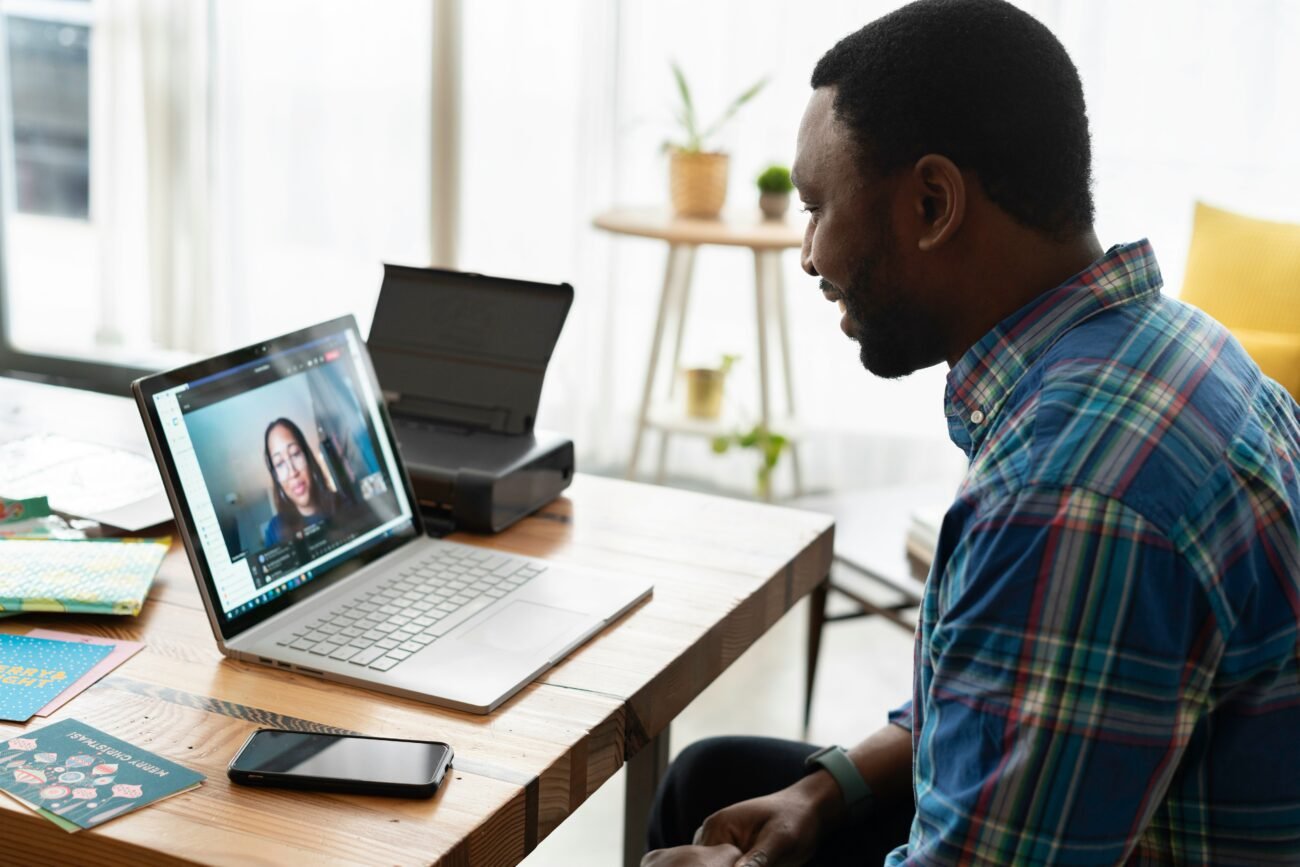
The shift to remote hiring isn’t slowing down. According to Apollotechnical, video interviews have surged by 50% since the pandemic, with 92% of employees expecting to work remotely at least once a week.
This means job seekers must now navigate a digital-first interview process where technical hiccups and subtle body language cues can make or break their chances. The old rules of in-person confidence don’t always translate to virtual environments.
Confidence in online interviews isn’t just about smiling or sitting up straight. It’s about understanding the unique dynamics of digital communication, from camera angles to platform-specific quirks.
Technical Preparation: The Foundation of Virtual Confidence
Why Your Setup Matters More Than You Think?
You’re about to answer a critical question, but your microphone cuts out. Or worse, your internet crashes mid-sentence. These aren’t hypotheticals–they’re real issues that can derail even the most prepared candidates. A solid technical setup is non-negotiable for projecting confidence.
- Equipment Testing: Check your camera, microphone, and lighting at least 24 hours before the interview. Use your laptop’s built-in camera or an external webcam positioned at eye level. Test the microphone by recording yourself speaking.
- Platform Familiarity: Whether it’s Zoom, Microsoft Teams, or Google Meet, familiarize yourself with the interface. Practice muting/unmuting, screen sharing, and adjusting settings. Platforms like Zoom offer virtual backgrounds, but avoid them unless necessary–a neutral, tidy space works better.
- Backup Plans: Have a phone with strong reception as a backup. If your internet fails, a quick switch to mobile data can save the day. Inform a friend or family member about your interview time in case you need immediate technical help.
The Hidden Cost of Poor Preparation
Remote workers who neglect their setup risk more than just embarrassment. A study by Apollotechnical found that technical issues during interviews can reduce a candidate’s perceived professionalism by up to 40%.
For those working remotely, this could translate to $6,000 a year in lost opportunities due to poor presentation.
Pre-Interview Research: Building the Confidence Framework
The Art of Company Deep-Dives
Confidence comes from knowing your stuff. Research the company’s mission, recent news, and the role’s specific requirements. This isn’t just about memorizing facts–it’s about understanding how your skills align with their goals.
For example, if you’re interviewing for a marketing role at a tech startup, study their latest product launches and customer feedback to craft relevant talking points.
- Company Culture: Check their LinkedIn page for employee testimonials and office photos. Are they collaborative or hierarchical? This informs your tone and examples.
- Industry Trends: Stay updated on sector-specific challenges. If you’re interviewing in healthcare tech, mention how telemedicine trends are reshaping patient care.
- Role Alignment: Highlight past experiences that mirror the job description. Use the STAR method (Situation, Task, Action, Result) to structure your answers.
Time Management as a Confidence Booster
Being late–even by a few minutes–can signal disorganization. Schedule your interview day with buffer time. If it’s a virtual interview, log in 5 minutes early to test your setup again. For in-person roles, arrive 10 minutes early to settle nerves and review notes.
Visual Presentation
Eye Contact and Framing Secrets
In face-to-face conversations, eye contact builds trust. In virtual interviews, it’s trickier. Looking at the interviewer’s face on your screen often means you’re not making eye contact with the camera. Instead, position your camera at eye level and look directly into it. This creates the illusion of eye contact and keeps the focus on your face.
For lighting, natural light is ideal. Sit facing a window or use a ring light to eliminate shadows. Avoid backlighting, which turns your face into a silhouette. A clean, neutral background helps too–no need for a cluttered bookshelf or messy desk.
Dress for Success, Virtually
Dressing professionally boosts confidence, even if only your upper body is visible. According to Morgan Overholt, wearing formal attire can increase feelings of competence by 20%. Stick to solid colors and avoid patterns that might pixelate on camera. A crisp white shirt or navy blazer works universally.
Body Language in the Digital Age
The 93% Rule: Non-Verbal Communication in Virtual Interviews
Forbes reports that 93% of communication is non-verbal. In virtual interviews, this means your posture, gestures, and facial expressions are under scrutiny. Here’s how to optimize them:
- Posture: Sit upright with shoulders relaxed. Slouching or leaning back can signal disinterest. Keep your hands visible and use natural gestures when explaining complex points.
- Gestures: Use hand movements to emphasize key points, but avoid fidgeting. Crossing arms or legs can subconsciously suggest defensiveness.
- Facial Expressions: Smile genuinely when greeting the interviewer. Maintain a friendly expression throughout, even during challenging questions.
The Zoom-Specific Challenge
Video platforms introduce unique body language hurdles. For instance, nodding too much can seem insincere, while staying completely still might appear robotic. Find a balance by nodding occasionally and keeping your head still when listening.
Support Materials: Your Secret Weapon
The Power of Handwritten Notes
Typing on a laptop during an interview creates keyboard noise and distracts from your focus. Instead, prepare handwritten notes with the company name, date, and interviewer names. Jot down three key questions to ask at the end. This not only shows preparation but also keeps you engaged.
Digital Tools for Organization
Use tools like Notion or Evernote to organize research and talking points. However, keep these tools closed during the interview. Screen sharing or accidental pop-ups can disrupt the flow.
Verbal Communication: Clarity and Concise
Smiling While Speaking
A warm smile while answering questions can soften your tone and create rapport. However, over-smiling can seem forced. Aim for a natural, confident smile that matches the conversation’s tone.
Managing Verbal Tics
Verbal habits like “um,” “uh,” or “you know” can undermine confidence. Practice answering common questions aloud to identify and eliminate these tics. Record yourself to catch filler words and work on smoother transitions.
Virtual Interview Etiquette
Arrival and Engagement
Log in 5 minutes early to test your setup and mentally prepare. During the interview, keep your camera on and focus on the screen. Avoid multitasking–even glancing at your phone can be noticeable on camera.
Follow-Up Strategies
Send a thank-you email within 24 hours, reiterating your interest and key qualifications. If you don’t have the interviewer’s contact, ask the recruiter for assistance. This small step leaves a lasting impression.
Continuous Practice: The Confidence Muscle
Simulated Interviews
Practice makes perfect. Conduct mock interviews with friends or mentors, focusing on both content and delivery. Use platforms like Zoom to mimic real conditions. Analyze recordings to spot areas for improvement.
Feedback Loops
After each practice session, ask for specific feedback. Are your answers too vague? Do you need to speak more slowly? Iterative improvements are key to building confidence.
Common Mistakes and How to Avoid Them
Environmental Hazards
Conducting interviews in cars or noisy cafes is a recipe for disaster. Choose a quiet, private space with minimal distractions. Even a parked car can introduce background noise that affects audio quality.
Passive Body Language
Avoid slouching, crossing arms, or looking away frequently. These subtle cues can signal disengagement. Instead, lean slightly forward to show interest and maintain open body language.
The Psychology Behind Confidence
Preparation Reduces Anxiety
Confidence and anxiety are inversely related. The more prepared you are, the less likely you’ll freeze or stumble. Research, practice, and technical readiness form a trifecta that minimizes stress.
Authenticity Over Perfection
While preparation is vital, don’t aim for robotic perfection. Interviewers appreciate genuine enthusiasm and personality. Share specific anecdotes that showcase your passion for the role.
Conclusion
Looking confident in online interviews isn’t about faking it–it’s about mastering the tools and techniques that create a strong impression. From technical setup to body language, every detail matters. By combining thorough preparation with mindful presentation, you can turn virtual interviews into opportunities to shine.